
Introductions & outreach
Give an email or profile a personal greeting with your face and voice.
For exampleHello, I’m [name], your contact here. Let me introduce our service.
INSIDE WISHMALLET YOUR PHOTO. YOUR VOICE.
Meet your 16-year-old self.
Or share a business message as yourself.
Change your age or appearance from one photo. Pair it with a sample of your voice to make a video of you delivering a message in your own voice.
Compare the original and transformationsFor work: messages in your own voiceOne photo opens up new ways to create and communicate.
『Tsumugi's🔨WishMallet』
AI also automatically adjusts the spoken voice to match each video’s look.
FIRST, MEET THE ORIGINAL
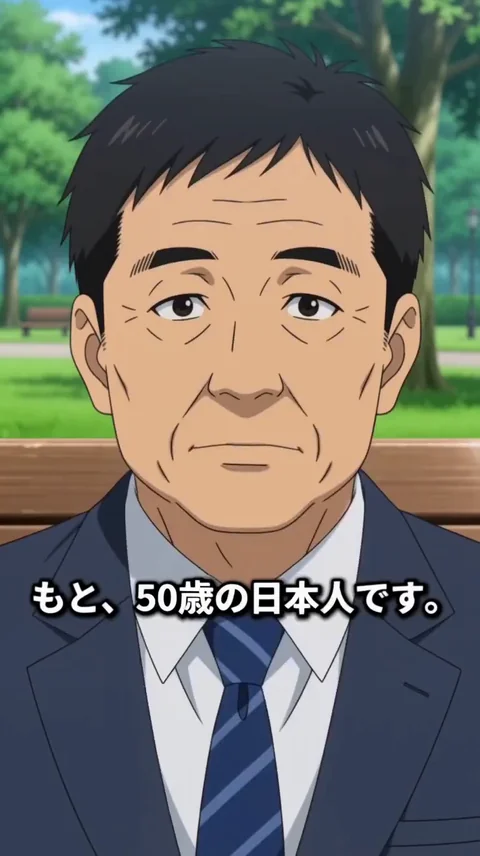
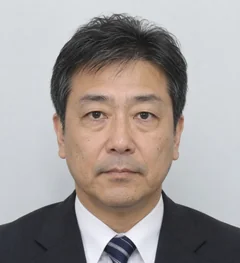
One photo of a 50-year-old Japanese man.
Watch his original appearance before exploring the changes.
THE STARTING POINT
This video was also generated by AI from the source photo. It is the starting point for comparing the age and gender transformations.
This is the starting point. Follow steps 01–05 below: each new look carries selected settings forward from the previous step.
How will he change?SAME PHOTO. KEEP YOUR SETTINGS. NEXT POSSIBILITY.
Keep the same source photo throughout. Set the age to 16, keep that age and change to female, then change appearance while keeping both. These five videos show how settings carry over, one change at a time.
START50-year-old Japanese manFollow the steps from 01.
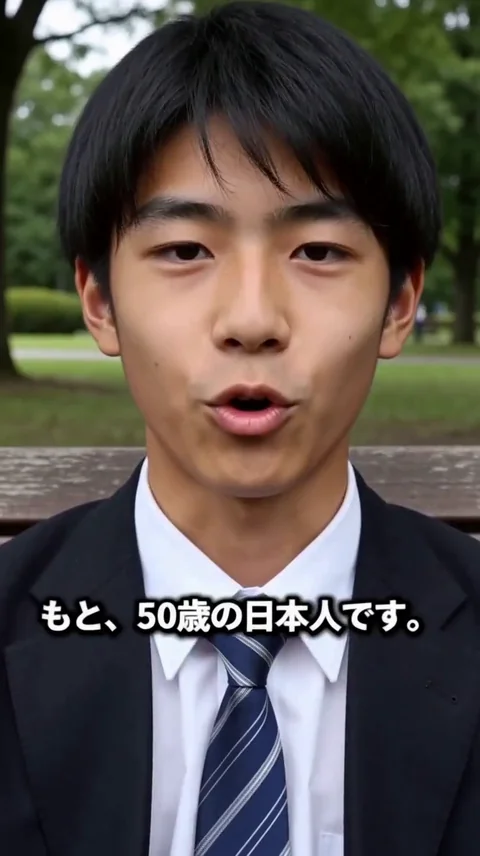 16
16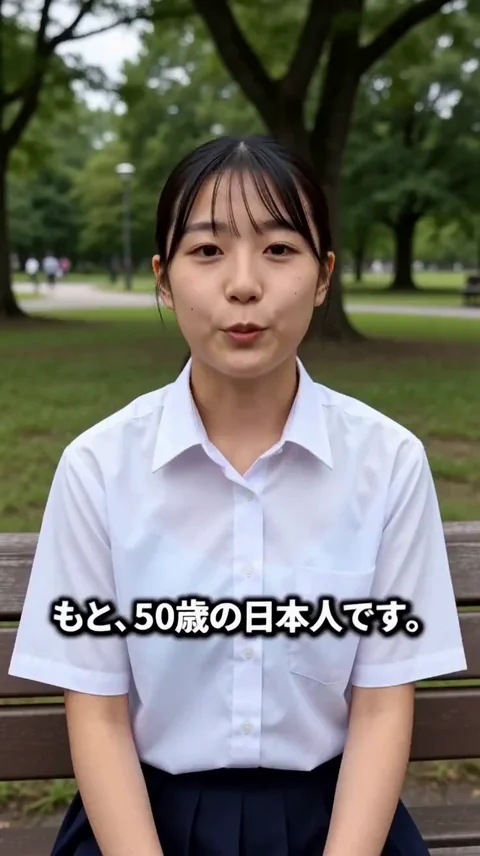 16
16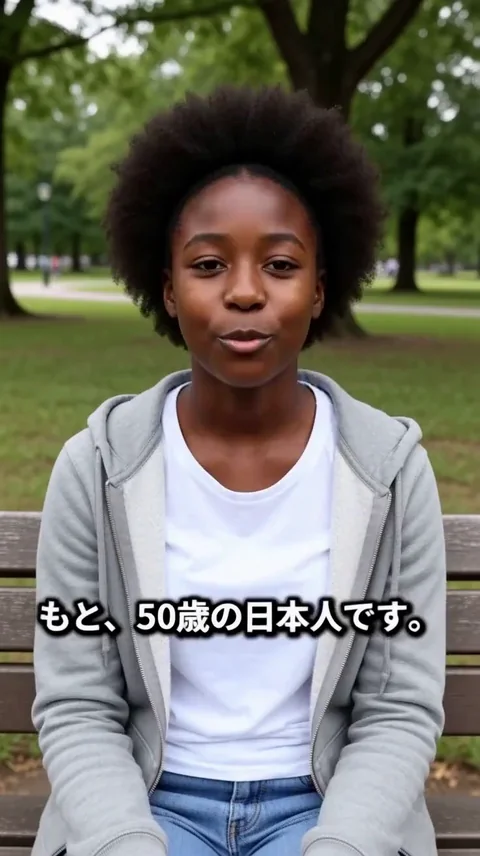 NEW
NEW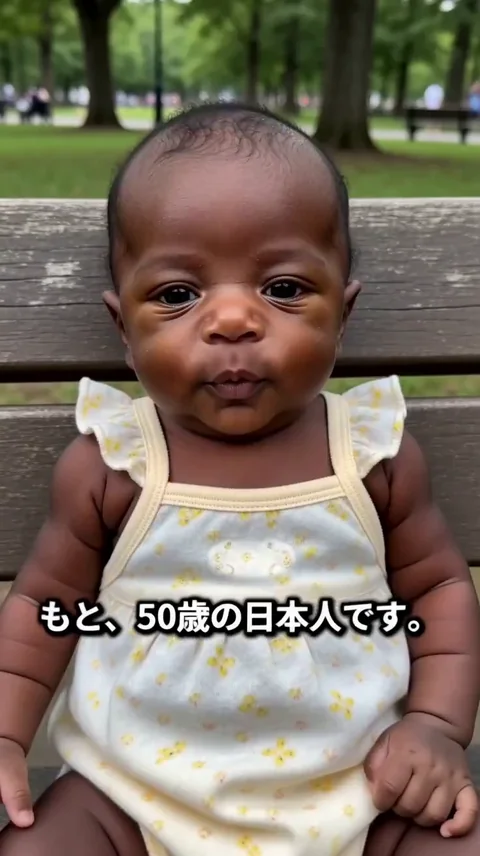 0
0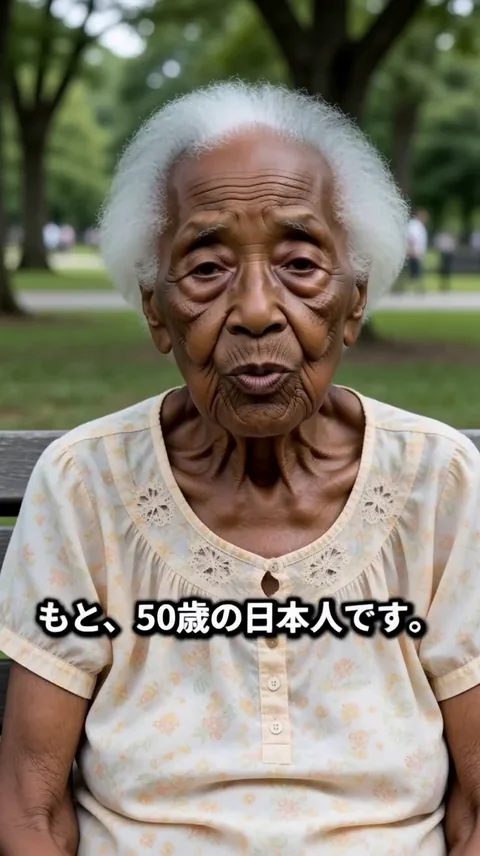 100
100AI also automatically adjusts the spoken voice to match each video’s look.
These videos are AI-created examples that draw on the facial features of the source photo. They are not predictions of someone’s actual past or future appearance.
『Tsumugi's🔨WishMallet』
Combine age, gender, ethnic appearance, animal transformations and anime in one tool, starting from a person’s features. Choose the settings to turn your next “what if” into a video.
Generate on your own PC, with no per-video generation fee or generation-count limit. Try a younger version, take that look into anime, and explore another combination whenever you like.
Local video generation on a compatible PC
For software pricing and availability, see the product page.
A LITTLE MORE IMAGINATION
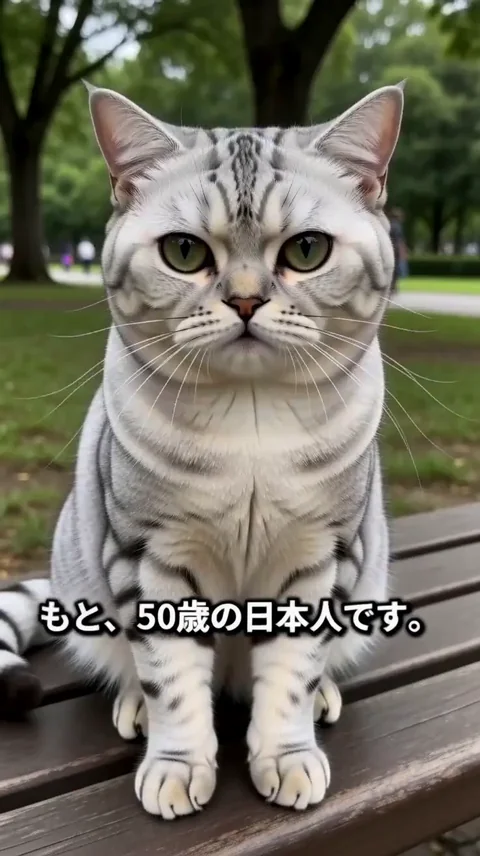
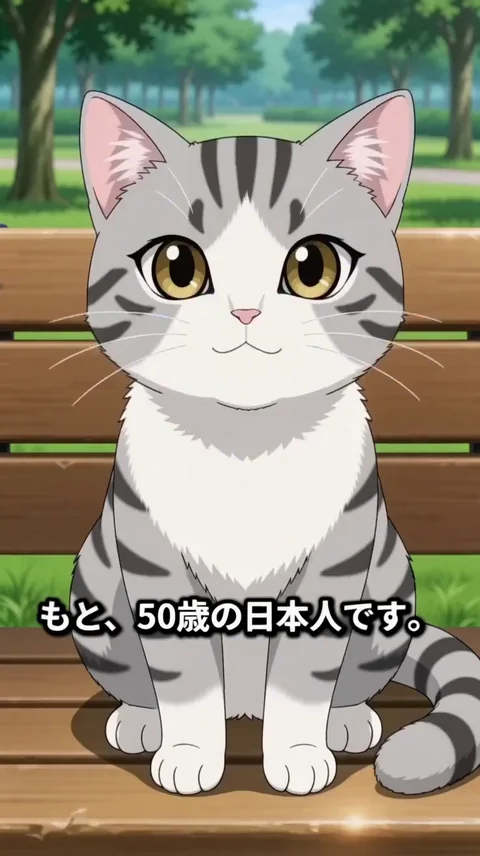
What if you were a cat?
Become a realistic cat, then step into anime. Finally, turn your original self into an anime character. Your imagination does not have to stop at human.
From a cat to your anime self. Play the sequence; it stops on the final anime character.
YOUR FACE. YOUR VOICE. YOUR BUSINESS.
Create a business message as your everyday self.
Spend less time speaking to camera for every new greeting.
Your photoOne clear portraitAdd the message you want to share…
Generate a video delivering your chosen words from your photo and voice. Change the message to suit the occasion.
The diagram illustrates how to use a photo with audio. The messages below are example scripts.
Give an email or profile a personal greeting with your face and voice.
For exampleHello, I’m [name], your contact here. Let me introduce our service.
Share what makes your shop or service special, in your own words.
For exampleWhat I love about this product is how easy it is to use every day. Give it a try.
Bring a personal message to colleagues working in different places.
For exampleThank you for your work this week. Here are our priorities for the week ahead.
GET STARTED
A voice sample gives the AI a reference for how you sound. Enter the words you want the video to say separately.
Add a clear photo of your face as a reference image.
Use “+音声を追加” (Add audio) on the photo card to select an audio file of you speaking.
Describe the scene and dialogue, then generate the video. Check the expression and voice in the result.
YOUR FIRST TRANSFORMATION
No need to know the technical language.
Follow along with the actual app screens below.
Add a clear face photo as a reference image. An everyday photo becomes the starting point for every transformation.
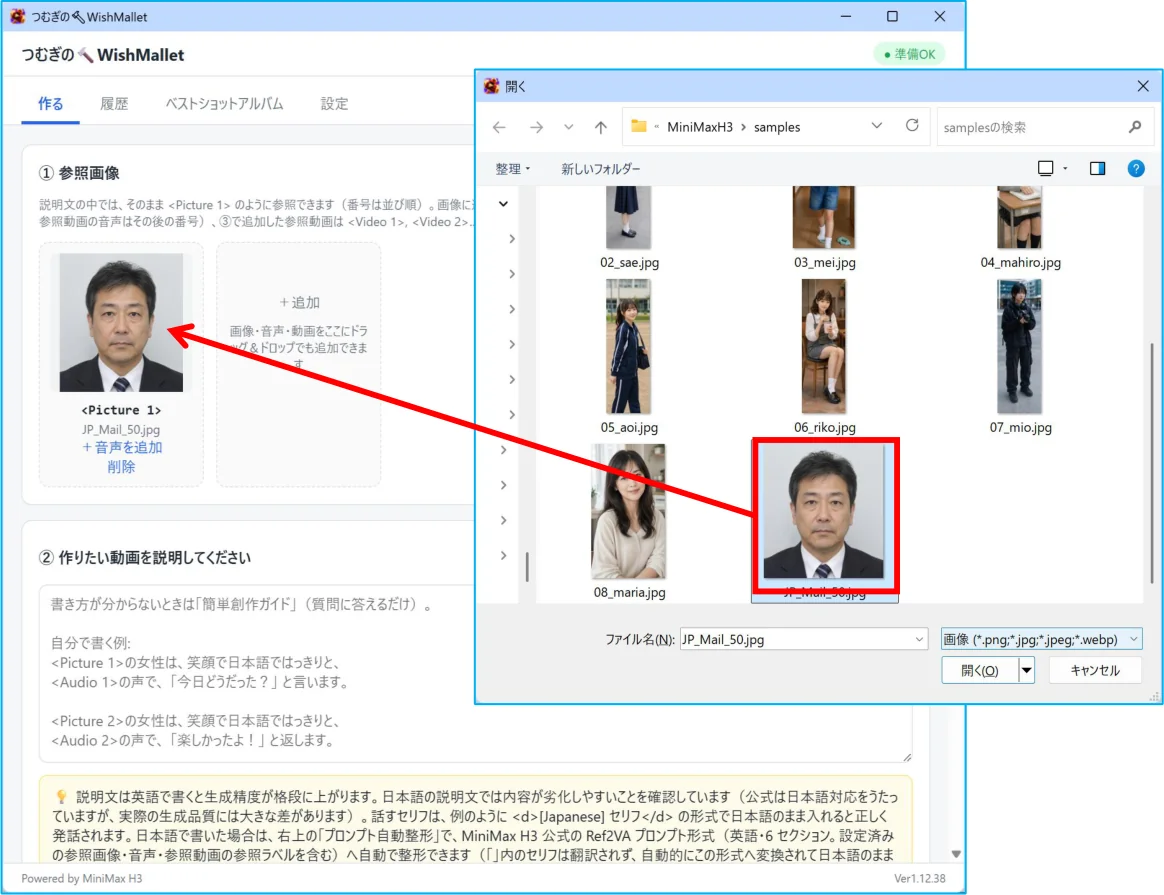 Enlarge screen ↗
Enter age, gender, scene and dialogue in the guided prompt builder, then format the prompt automatically. For the next video, keep the settings you like and update only what you want to change.
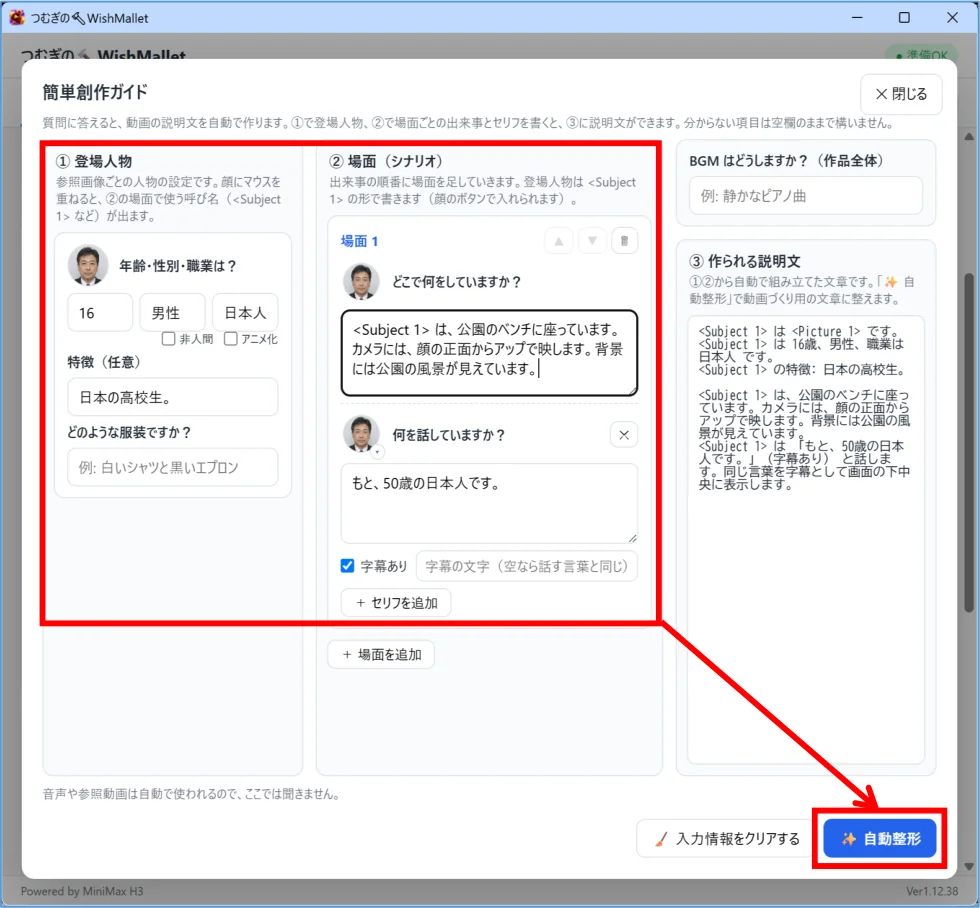 Enlarge screen ↗
Choose the length and frame size, then start generation. Play the finished video to meet a version of yourself you have never seen.
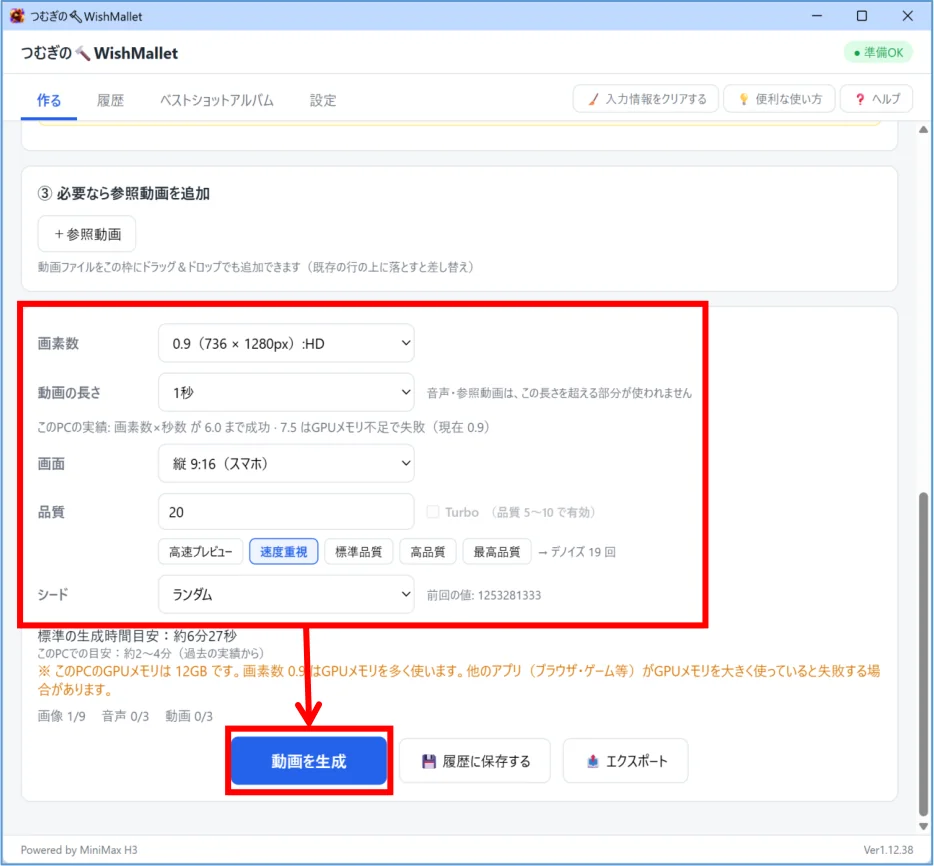 Enlarge screen ↗
“Make me 16, talking in a park.” Start with words like these. The guided prompt builder helps organise your idea and shape it into a generation prompt.
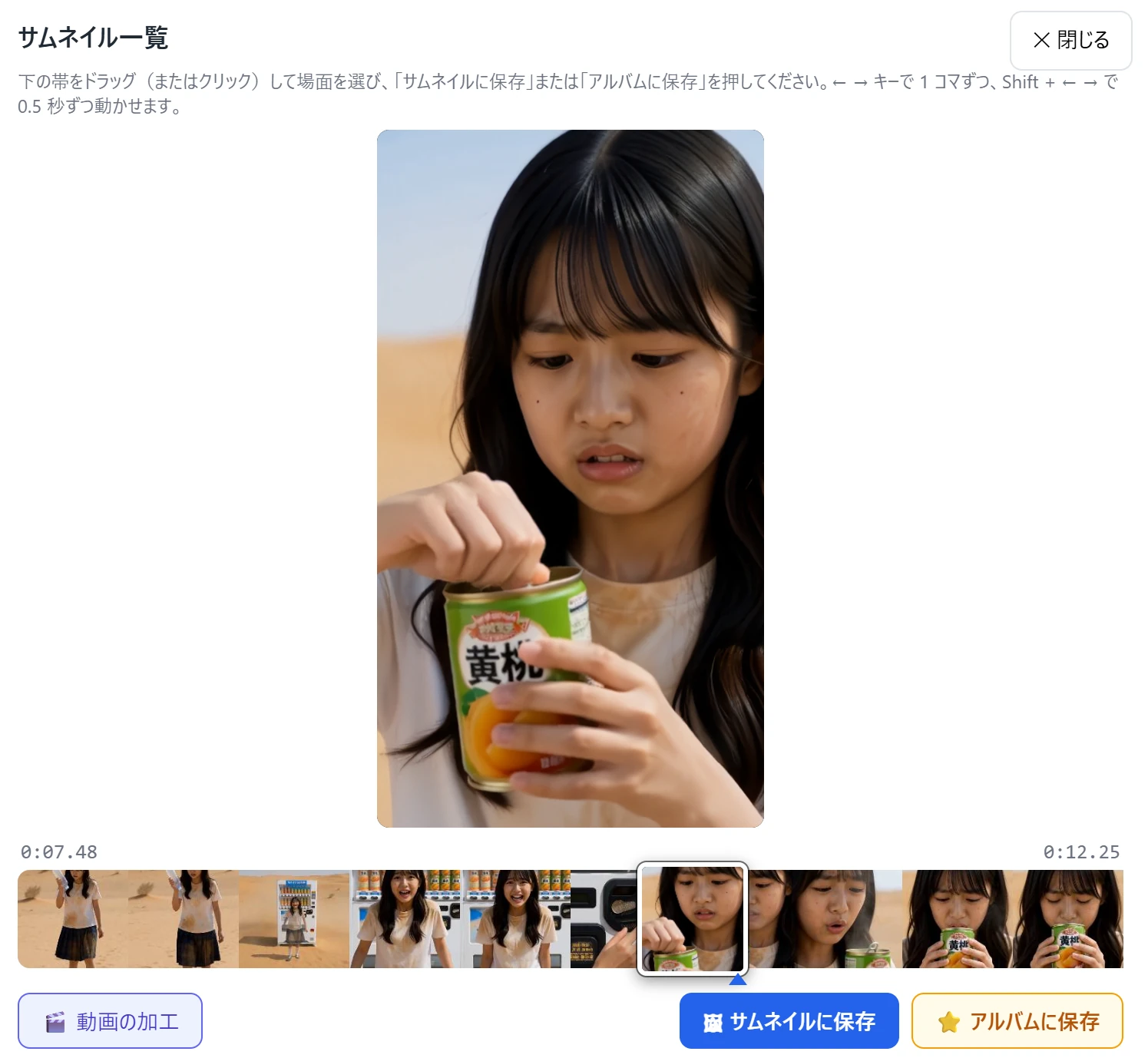 The finished video in the app ↗
AND, YOUR FIRST VIDEO.
Once your video is ready, save a favourite frame as a thumbnail or to your album. Your first creation is just the beginning.
Screenshots show the actual app in Japanese. Generation time depends on your PC and the settings you choose.
NEXT, IT’S YOUR TURN.
Start by checking whether your PC can run WishMallet.
Requires Windows 11 and a compatible NVIDIA GPU.
Explore product details and purchase information